
iCloud Storage is Full of Photos? Here’s the Fix.
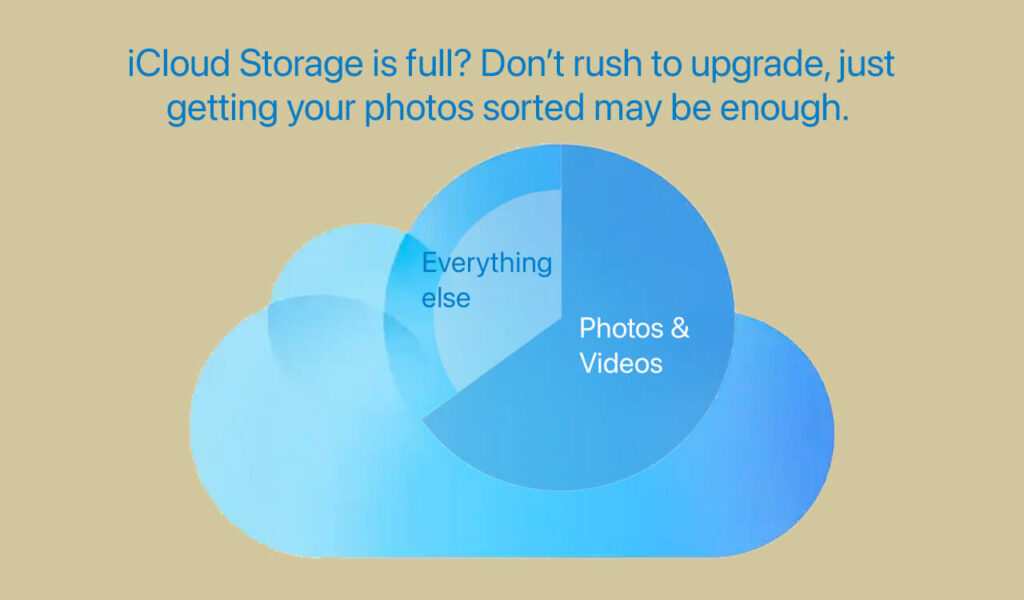
Does that pesky “iCloud Storage is Full” message pop up every time you use your Mac or iPhone? Don’t panic and upgrade to a more expensive iCloud plan. It’s easy to free up iCloud storage. First see what’s filling up your existing storage quota. Like this:
On iPhone or iPad: Go to Settings > iCloud > Storage
On Mac: Go to Settings > [Your Profile] > iCloud
You’ll see a bar chart showing the breakdown of your storage. This tells you what needs attention.
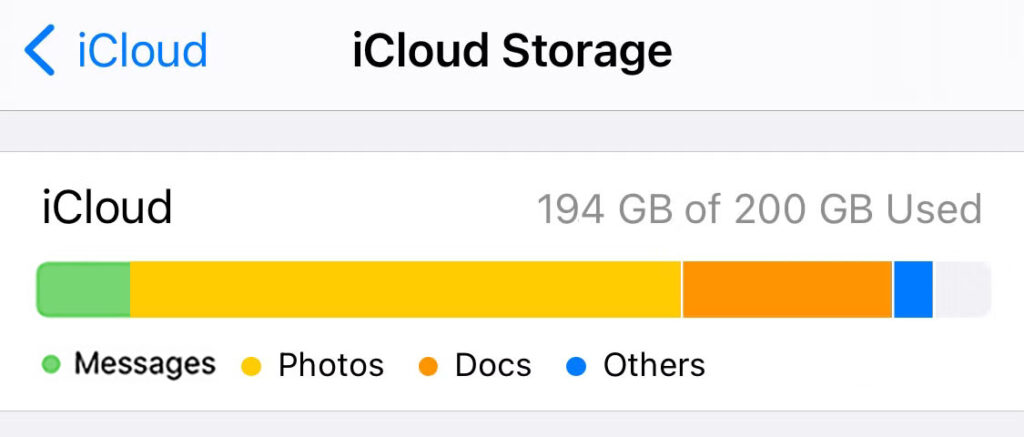
Chances are that the culprit is photos. We take a LOT of them, and at ever-increasing resolution. So it’s no surprise that photos and videos quickly soak up iCloud space, leaving little room for new photos or backups. Sure you can buy more iCloud storage, but it’s an ongoing expense. It gets more expensive once you’re above 200 GB, and there’s no end to it.
Too Many Photos?
How many of your photos and videos are memorable keepsakes: 60 or 70 per cent? The rest is clutter. Consider deleting or saving them on your computer or an external drive. Or in a Shared Album (It does not count towards your iCloud storage).
How to do this? Focus on largest photos and videos by file size, because those take up the most space. Also delete all the junk you’ve accumulated – random screenshots, tired memes, bad shots, forgettable photos – to clean up your library.
Apple Photos does not provide any way to separate large files from small, or good shots from bad. But there’s a smart, affordable solution: the PhotoSort app.
Get Them Sorted

PhotoSort is a neat little Mac app that can help reduce your iCloud storage costs by sorting your Photos library by file size and aesthetic quality. You can download it from the Mac App Store. Apple vets all apps on its App Store for safety and privacy – so no need to worry. PhotoSort runs locally on your Mac – so your photos and data are safe.
This app sorts your Mac and iCloud Photos library and creates two albums in Photos on Mac:
- SizeSort: Shows Photos and videos sorted by file size. If you use ‘Optimize Mac Storage’ i.e. full resolution photos are in iCloud and low resolution thumbnails on the Mac, the size of full resolution items is used for sorting. Use this album to find the BIG items that’ll free up max space in iCloud.
- QualitySort: Shows all photos and videos sorted by aesthetic quality. Use this AI-powered sorting to identify the best photos that you might want to Favorite, save in albums, or share. It also identifies low-quality items that you might want to delete.
The Beauty and Uniqueness of PhotoSort is that it creates the above sorting directly in the Photos app – so you can browse the photos and free up iCloud storage from within the Photos app itself. Both albums also sync via iCloud to your iOS devices, so you can view and manage space on those, too.
No complex menus or hidden steps — just point, click, delete, and instantly reclaim iCloud space without paying for a bigger plan.
And a pleasant surprise: The app costs just $4.99 for lifetime use.
Can’t Bear to Delete?
If your largest photos and videos are all important, first back them up. Remember that iCloud is NOT a backup. Do the backup on your Mac or an external drive. Ideally keep it independent of the Apple ecosystem, i.e. don’t just make a copy of the Photos library but export into regular folders.
You can do this with Photos Takeout – another Mac app. It exports photos and videos from the Photos app (including iCloud Photos) into organized folders to any destination you specify. You can choose to export by year, month, date, or album, making it easy to browse memories offline. After exporting, you can delete photos from iCloud to reclaim space and avoid buying more storage. The app is fast and safe – thousands of professional users trust it to get full control over their photo catalogs.
Don’t Pay for Storage You Don’t Need
Deleting the huge and the unneeded photos that you find with PhotoSort removes them from iCloud and all associated devices. Every gigabyte you clean up frees up storage everywhere – keeping your monthly Apple bill lower, and also not having to worry about your iPhone and Mac filling up.
Are you are ready to cut the clutter, save money, and free up iCloud storage? Get PhotoSort and get sorted.
PS: It’s always a good idea to offload and archive photos before deleting them permanently. Photos Takeout is the perfect tool for this.